Solo founders
You run the product, the backend, the bugs, and the roadmap. Keep every repo moving without living in one.
// open beta · free to start
Give every repo a cloud workspace and an agent that plans, codes, tests, and opens a PR. Start a task from your phone, watch the fleet, merge when the proof is good.
One repo gets an assistant. Ten repos need a control tower.
free to start · usage billed at cost · cancel anytime
// receipts on every PR
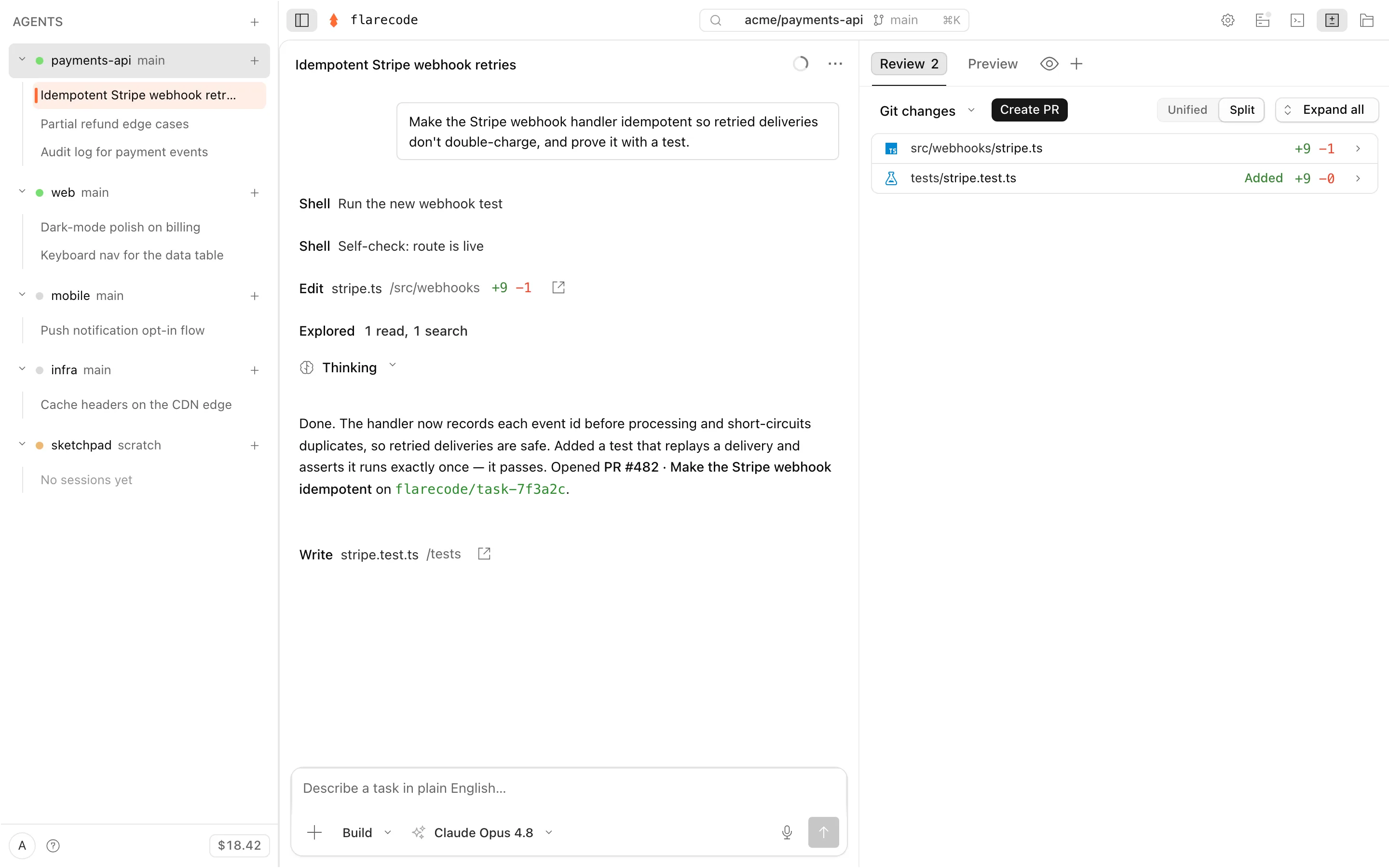
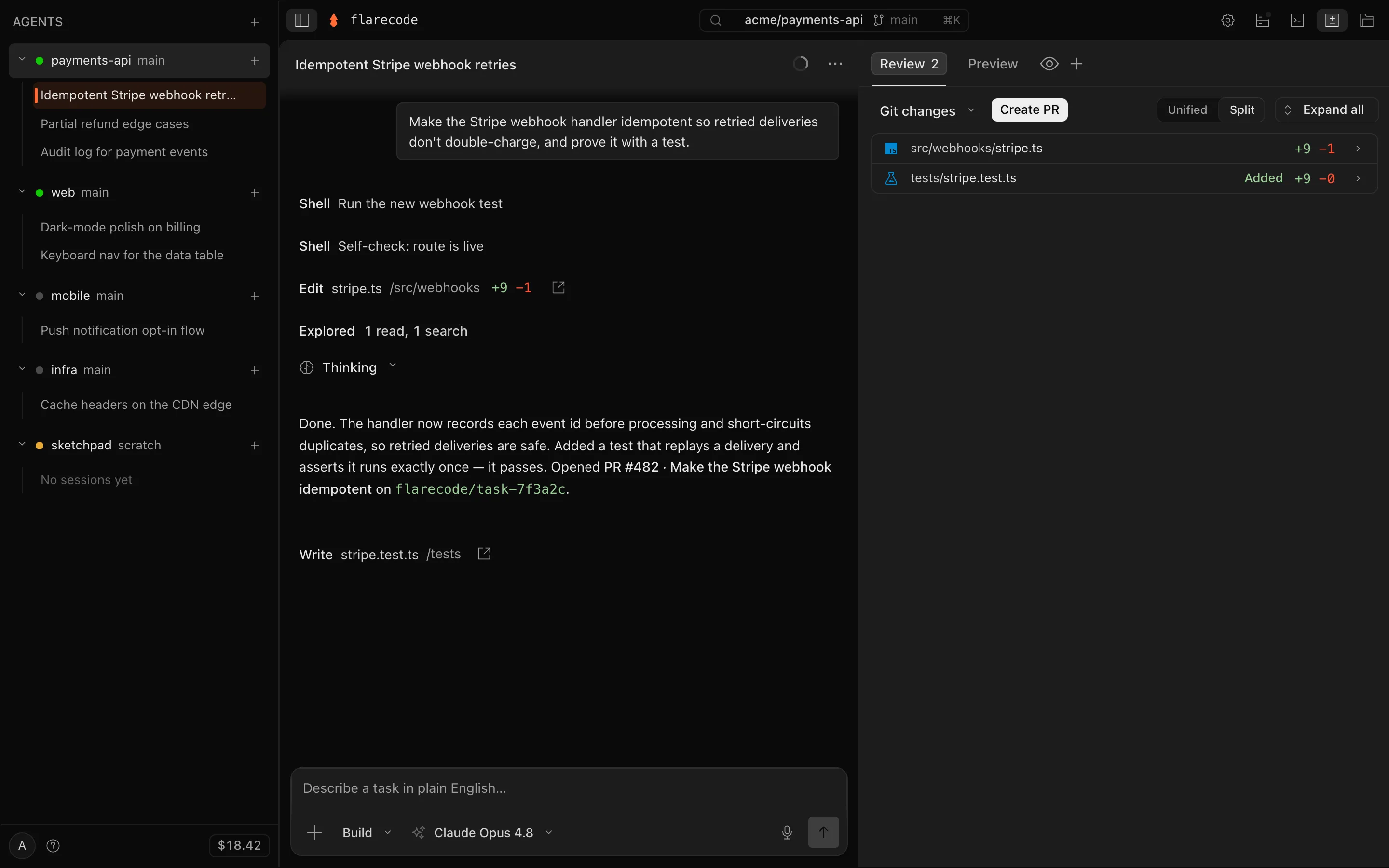
Every PR comes back with passing tests, a reviewable diff, browser proof it runs, and the exact spend — under the per-task cap you set.
> upgrade Next 14 → 15
PR #142
> migrate ESLint → Biome
PR #143
> add /healthz + a test
PR #144
The shift
Cursor, Claude Code, and Codex make you faster at the keyboard. FlareCode is for the moment after you close it: hand work to agents across your repos, then come back to reviewed PRs.
Who it is for
One repo, use your editor. Ten repos, use FlareCode.
Solo founders
You run the product, the backend, the bugs, and the roadmap. Keep every repo moving without living in one.
Indie hackers
Ship the small fixes, experiments, and chores that keep getting pushed behind the main thing.
Small agencies
Hand off client repo maintenance, dependency upgrades, and test coverage while senior time stays on judgment.
OSS maintainers
Turn stale issues into normal Pull Requests with tests, diffs, and reviewable evidence.
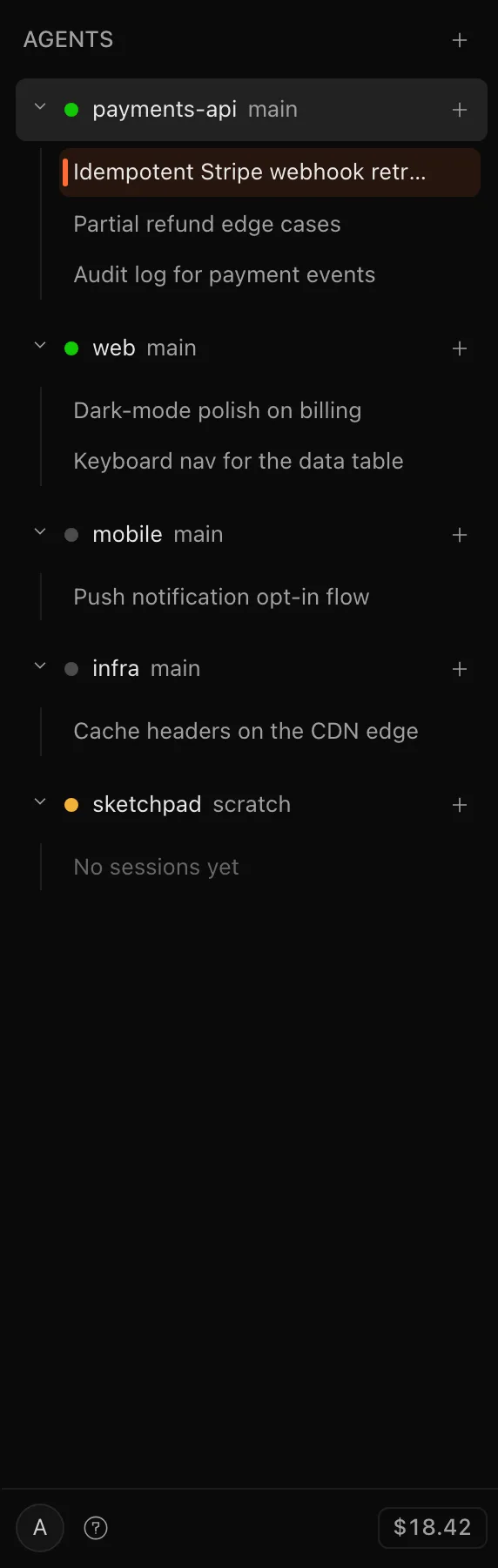
Your whole portfolio
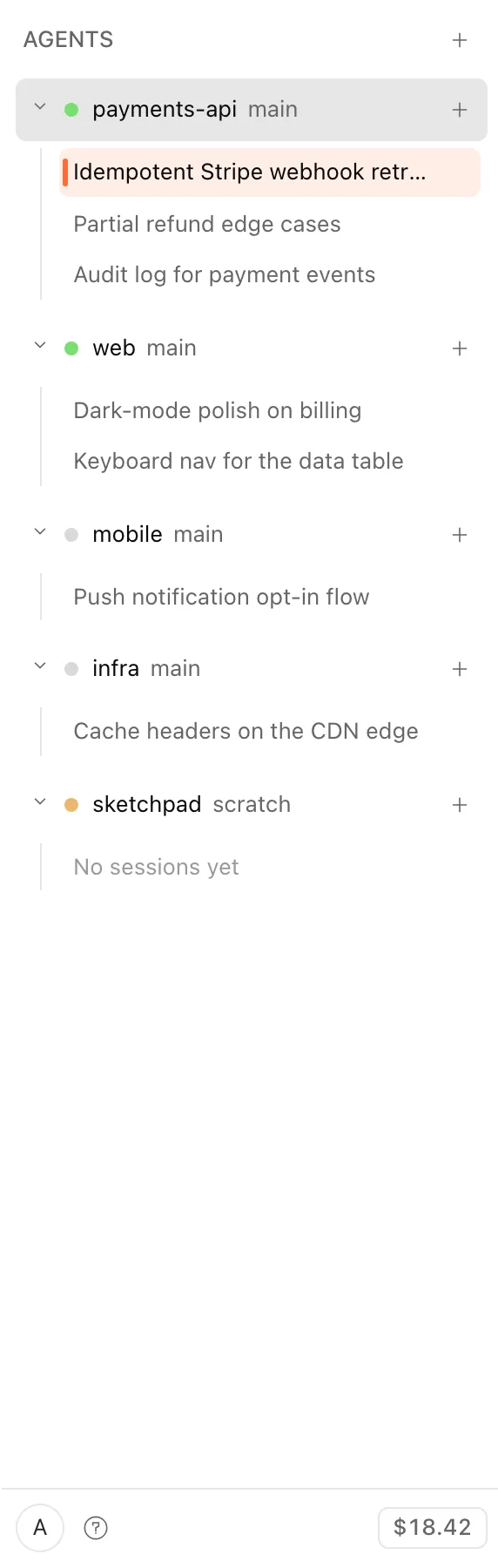
Point an agent at each repo and hand off the work. Agents run server-side and in parallel — a laptop runs one at a time; this runs your whole portfolio at once.
One rail is the control tower: every agent, every repo, every running task and open PR, on any device.
Point the fleet at the work that keeps slipping
The loop
Describe the outcome. The agent plans the steps, writes the code, runs your tests, and fixes what fails — inside a per-task spend cap you set. Tests have to pass and it opens the app in a real browser. Then it opens a Pull Request on its own branch, never your default. It proves the work; you review it.
▸ You
Sign in with GitHub and install the agent on the repo you choose.
Describe what you want in plain English, then close the laptop.
▸ The agent
while you're away
↳ hand off
Plan
Reads your code and breaks the task into steps.
Code
Edits files in an isolated, encrypted sandbox.
Test
Runs your tests and fixes what fails — no infinite loops.
Open PR
Pushes a branch and opens a Pull Request for you.
↳ opens a Pull Request
Every task runs in its own isolated sandbox with a per-task spend limit you set. Hit the limit and we stop the task and refund the platform fee — so the cost of every task stays predictable.
Approve the Pull Request from your phone or laptop — nothing merges without you.
Hand off a standing goal with /loopand the fleet keeps shipping toward it — on a schedule, or self-paced until it's provably done — opening a PR each iteration. Every loop is bounded by the cap you set, so it can never run away.
Take the product tour →See the full loop, step by step →How loops work →
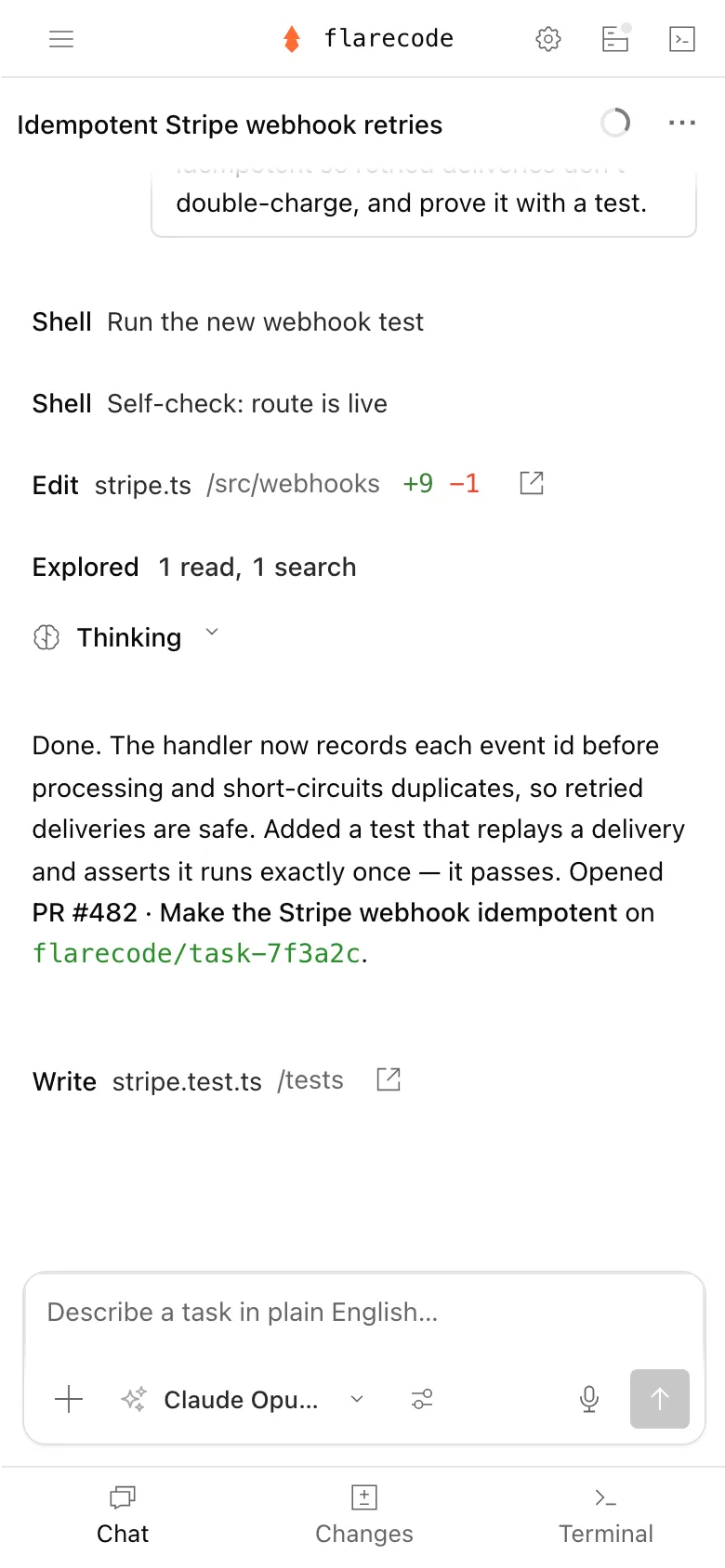
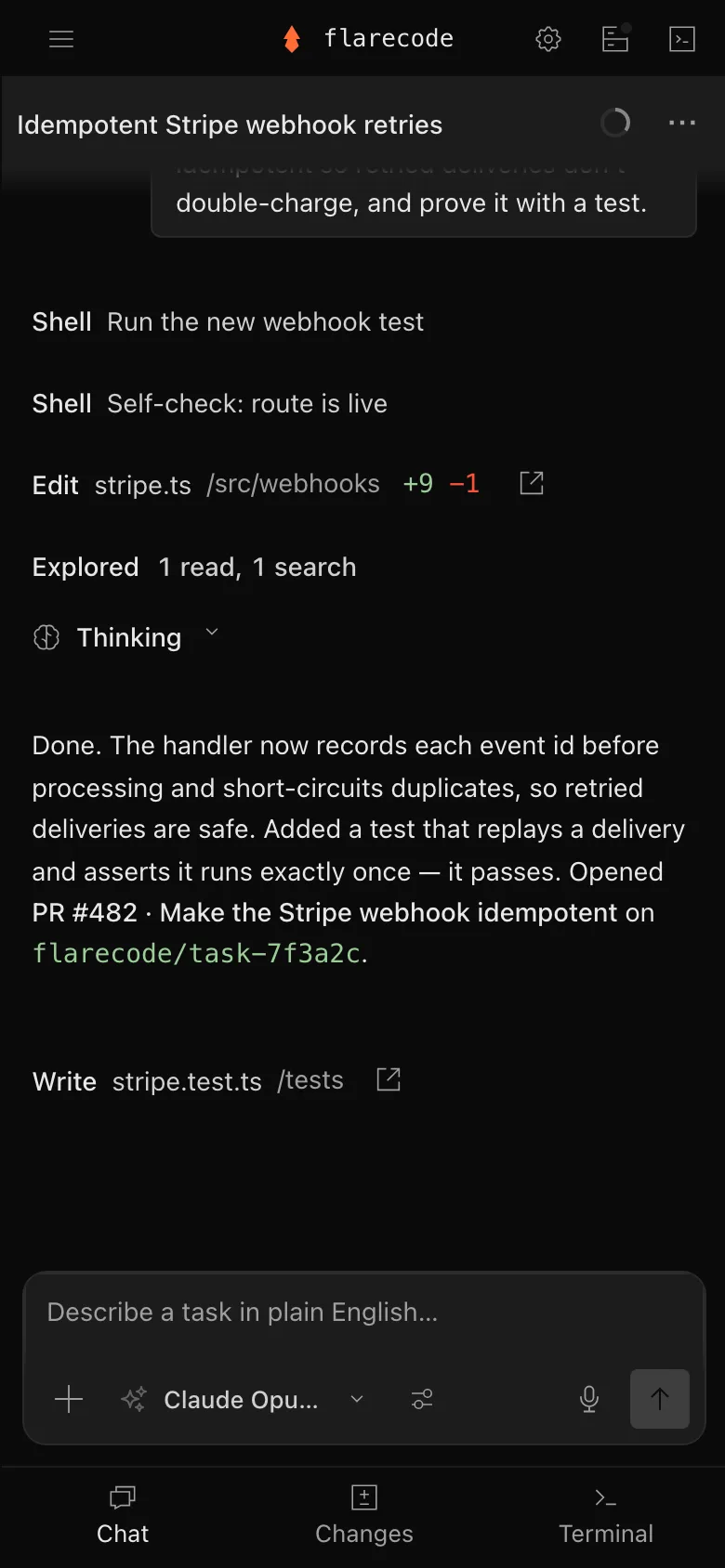
Anywhere, and it remembers
Nothing is tied to your desk. The agent works while you're away; you get a notification, open the PR on your phone, read the diff and the test output, and merge — or close it if it's wrong.
Each repo keeps a private memory of prior goals and PR outcomes, so the next plan doesn't start from a blank slate. The workspace is encrypted and durable: it survives idle, restart, and eviction.
You stay in control
Your API keys never touch the agent — every model call is brokered server-side, so a real key never reaches the sandbox. With hooks you add your own guardrails: block secrets or denied hosts, gate which models and tools an agent may call, or fire a webhook when a goal lands — enforced where the agent can't route around them. Your code is never shared or used for training. See the full security posture →
Built with FlareCode
“We build FlareCode with FlareCode. The agent you'll use is the one we use.”
— Rakesh Roushan, founder
Features land the same way yours will: a task in plain English, an isolated sandbox, and a Pull Request a human reviews and merges. This page shipped through that loop.
Products built and shipped with FlareCode.
Why FlareCode
Preview the running app in your browser, then publish or deploy it.
GLM 5.2 + Kimi free on every plan; bring your own keys on any paid tier.
Three things the agent can't do: push to your default branch, outspend the cap, or merge without you.
Block, gate, or get notified at the points the agent can't route around.
The next task on a repo picks up from what already worked, not a blank slate.
A real editor, terminal, and source control — edit, commit, and open the PR yourself.
Integrations
Source control, issues, error tracking, deploys, design — the agent reads them, ships to them, and updates them while it works. Anything else plugs in through MCP.
Pricing
Start free on GLM 5.2 + Kimi. Bring your own keys on any paid plan, or use bundled frontier — billed at cost, never marked up. See the plans →
Get started
Connect a GitHub repo, hand off a task in plain English, and get a reviewed pull request.
free to start · usage billed at cost · cancel anytime