AI code editor
FlareCode vs Cursor
Cursor is where you type. FlareCode is where you delegate.
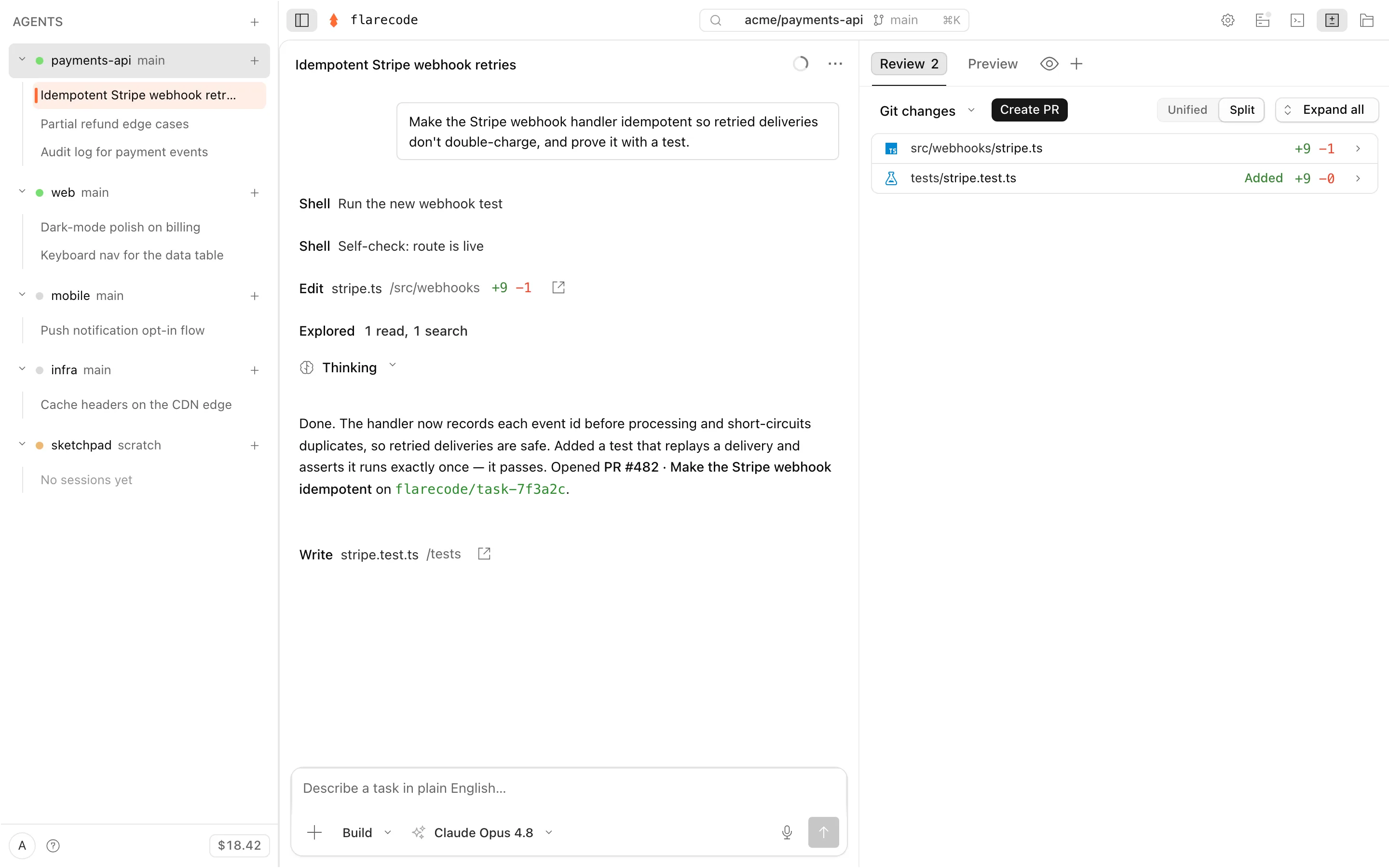
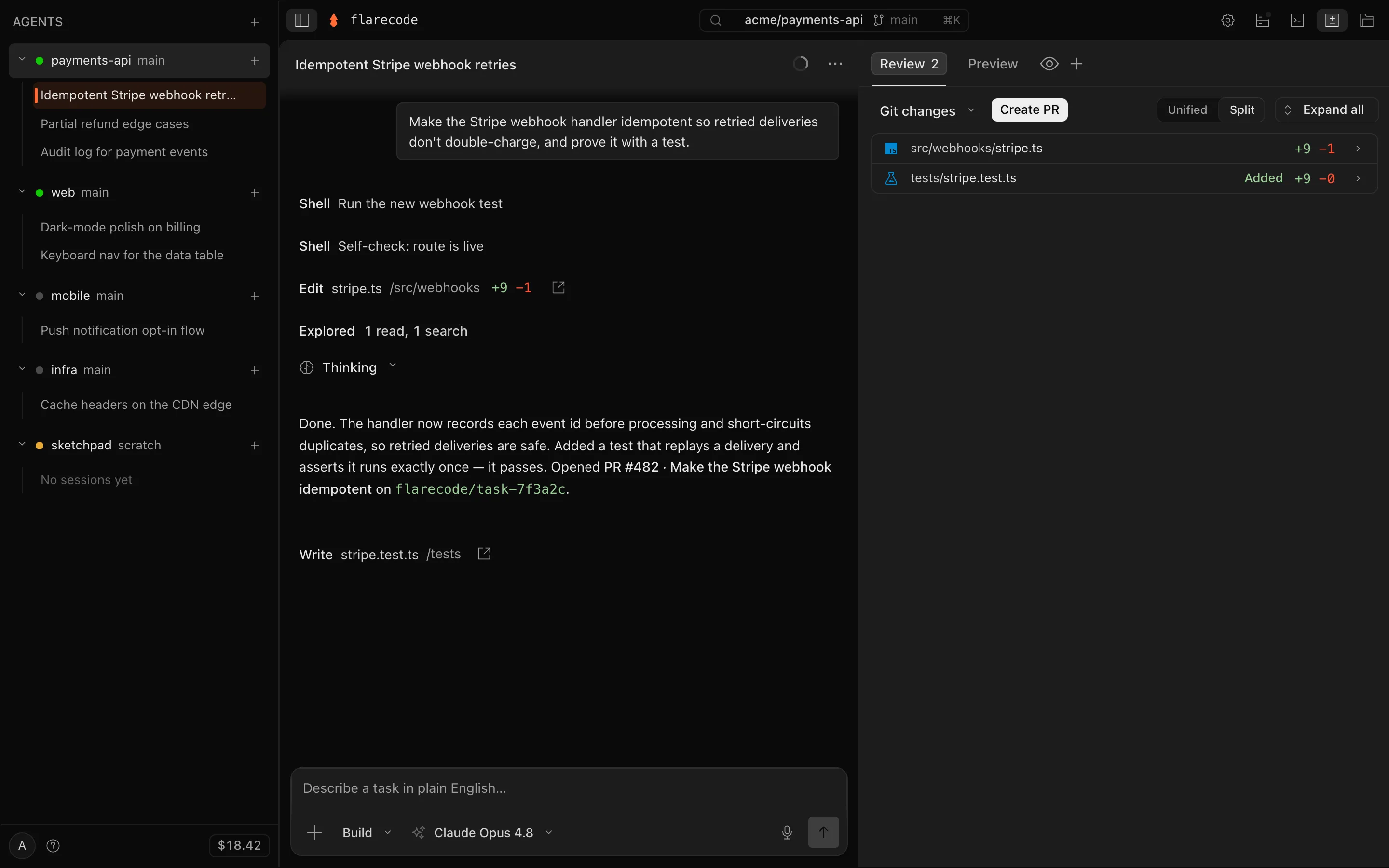
Cursor is the leading AI code editor: you stay at the keyboard with Tab autocomplete and an in-editor agent, and you can hand longer work to cloud agents that build, test, open PRs, collect screenshots/logs, and run from desktop, web, mobile, Slack/Teams, Linear/Jira, or automations. FlareCode is the opposite default — the repo portfolio is the unit of work. Drive in Cursor when you're at the keyboard; hand off to FlareCode when work should keep moving across repos after you leave.
Context
What is Cursor?
Cursor (by Anysphere) is an AI-native code editor — a VS Code fork — with Tab completions, an in-editor agent, and cloud agents that run in isolated VMs to build, test, and open merge-ready PRs from the web, a mobile PWA, Slack, GitHub, or Linear. Plans are per-seat (Hobby free, Pro $20/mo, higher individual and team tiers); cloud-agent compute bills on top at model API rates. It supports many providers and limited BYOK.
Portfolio
Built around many repos, many agents, and one fleet rail.
Evidence
Tests, browser checks, diffs, logs, and PRs stay visible before review.
Policy
Spend caps, branch scope, secrets, egress, and human merge gates stay product-level.
Side by side
The breakdown
| FlareCode | Cursor | |
|---|---|---|
| What it is | Cloud control tower for a repo portfolio — persistent agent workspaces, fleet state, evidence, cost policy, and reviewed PRs | AI code editor + cloud agents |
| Where it runs | Hosted cloud sandbox, one per agent — nothing to install | Desktop editor + cloud agent VMs |
| How you work | Describe → walk away → review the PR | You drive; delegate longer tasks to agents |
| Autonomy loop | Plans, writes code, runs your tests, fixes its own failures | In-editor assist + autonomous cloud agents |
| Self-verifies | Tests must pass + opens the app in a real browser; shows you the proof | Cloud agents build, test, use a browser |
| Learns your repos | Learns each repo — past goals/PRs recalled into planning | Indexes your codebase; memories (beta) |
| Multi-repo | First-class — a fleet view across many projects and repos | Cloud agents coordinate; editor is one workspace |
| Async / mobile review | Core to the product — Slack, GitHub mobile, email | Web + mobile PWA, Slack, GitHub, Linear |
| Workspace | Durable, encrypted, backed up — survives idle + restarts | Local editor + ephemeral cloud VMs |
| Preview & deploy | Live in-app preview + one-step publish / deploy | Not a platform focus |
| Model choice | Bundled Kimi K2.7 Code, or BYOK (Claude, GPT, Gemini, OpenRouter, custom) | Many providers + own models; limited BYOK |
| Pricing model | Flat plans, inference at provider cost, true BYOK | Per-seat + usage-based cloud agents |
| Per-task spend limit | Predictable — a per-task spend limit you set | Spend limits on usage, not a per-task kill |
| Output | GitHub PR on a flarecode/* branch | Working-tree edits + merge-ready PRs |
| Open source | Closed platform; public issues + roadmap on GitHub | No — proprietary VS Code fork |
Honest take
Where each one wins
Where FlareCode pulls ahead
- Delegate-first, not editor-first: you don't need an app open or a machine on for the work to happen.
- Flat pricing with inference at provider cost — Cursor adds usage-based cloud-agent billing on top of a per-seat plan.
- A per-task spend limit, plus a durable hosted workspace that survives between sessions.
- A fleet view built for many projects at once, with live preview and one-step deploy in the loop.
- Full cross-provider BYOK; Cursor's BYOK is limited to chat models and still routes through its backend.
Where Cursor is the better pick
- The best interactive editing experience: Tab autocomplete and in-editor agent are class-leading.
- You stay in full, keystroke-level control while you're at the keyboard.
- A huge ecosystem — extensions, MCPs, skills, and a familiar VS Code surface.
- Cloud agents are deeply wired into team tools and can collect rich evidence such as screenshots, logs, and remote desktop sessions.
FAQ
FlareCode vs Cursor
>Is FlareCode a Cursor alternative?
For interactive editing, Cursor is excellent and FlareCode doesn't replace it. FlareCode replaces the moment after you close the laptop: hand off a task and get a reviewed PR back across many repos. Many builders use both.
>Can I use both Cursor and FlareCode?
Yes, and many do. Drive in Cursor when you're at the keyboard; delegate to FlareCode when you want the work to happen while you're away — across a portfolio of repos, reviewed from your phone.
>How does the cost compare?
Cursor is per-seat (Pro is $20/mo) and its cloud agents bill usage on top at model API rates. FlareCode is flat with inference billed at provider cost and a per-task spend limit, so the cost of background work stays predictable.
>Does Cursor run agents in the cloud now?
Yes — Cursor's cloud agents run in isolated VMs and are available from web, a mobile PWA, Slack, GitHub, and Linear. FlareCode's difference is that the hosted, async fleet is the whole product, not an add-on to an editor, and it includes a durable workspace, preview, deploy, and a per-task spend limit.
Sources checked: Cursor Cloud Agents · Cursor pricing
Comparisons reflect public information and change over time. Something out of date? tell us.
Bottom line
Which should you pick?
Choose Cursor when you're at the keyboard and want the best interactive editor. Choose FlareCode when you want to describe the work, walk away, and review PRs across many repos — on flat pricing with a per-task spend limit. They pair well.
Get started
Try FlareCode
free to start · usage billed at cost · cancel anytime